

Labels ship from this address. Return labels use the same address as the recipient — it is where your customers send returns to. The street lines of the address are entered separately on the Labeling tab.
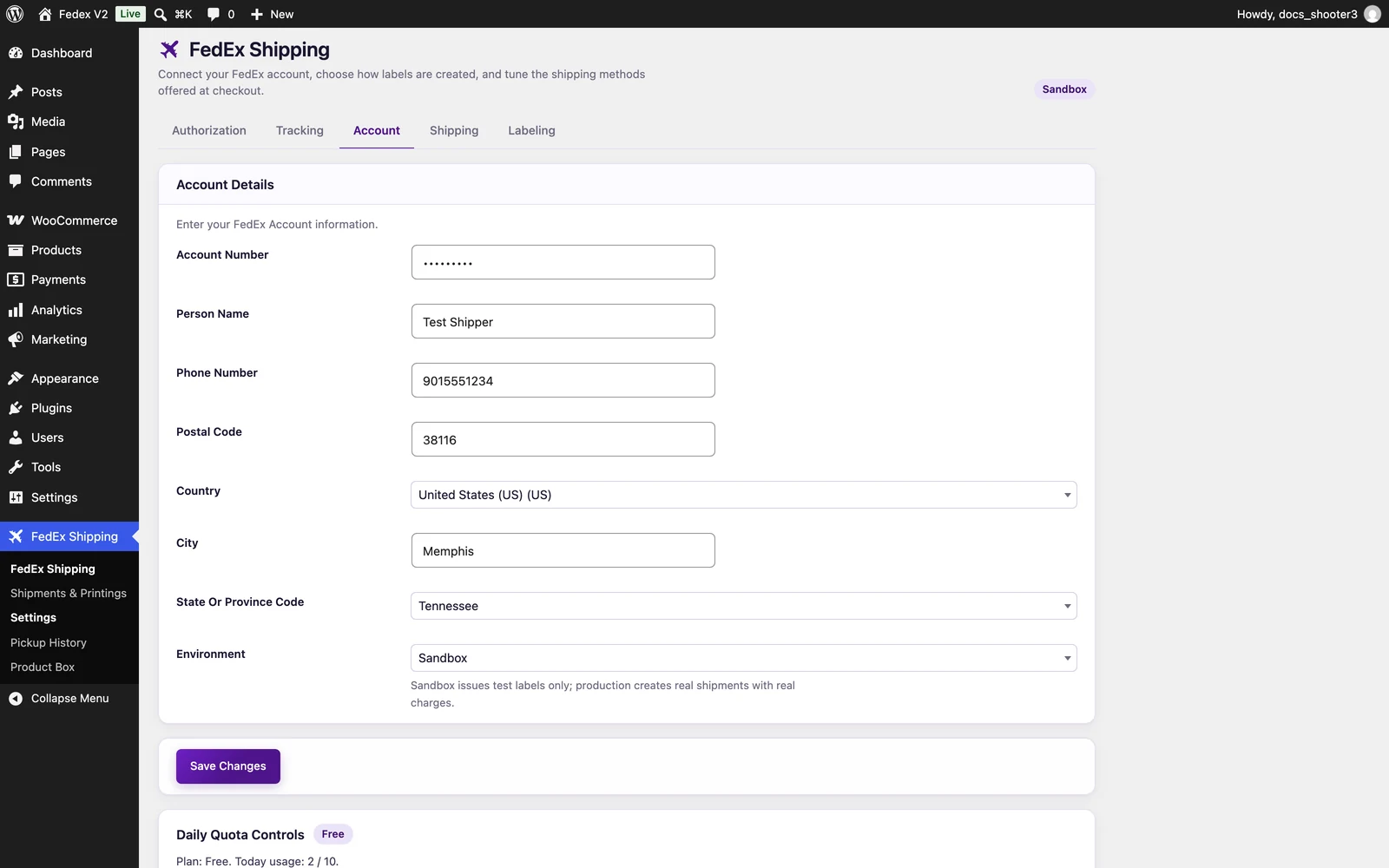 The FedEx Shipping settings page, Account tab.
One Save Changes button at the bottom of the page saves all five tabs together — you cannot save a single tab on its own. Saving also refreshes stored shipping prices, so the next quote is fresh. All settings are saved with your WordPress site; there are no files or databases for you to touch.
The FedEx Shipping settings page, Account tab.
One Save Changes button at the bottom of the page saves all five tabs together — you cannot save a single tab on its own. Saving also refreshes stored shipping prices, so the next quote is fresh. All settings are saved with your WordPress site; there are no files or databases for you to touch.
Account Number
A text field for your 9-digit FedEx shipping account.Person Name
A text field.Phone Number
A text field.Postal Code
A text field.Country
A dropdown listing every country WooCommerce knows.City
A text field.State Or Province Code
A dropdown. The on-screen placeholder reads “Select a state…”.Environment
A dropdown with two choices: Sandbox and Production. The on-screen help text says: “Sandbox issues test labels only; production creates real shipments with real charges.”
The dropdown selects the FedEx server for all calls the plugin makes:
Switching to Production turns checkout label creation into real, paid shipments — see Instant labels. If credentials and environment do not match, every call fails authentication, and the checkout log (source
teamzlab_fedex_shippnig under WooCommerce → Status → Logs — the source name is spelled that way in the code) shows the exact error.
Where this address is used
The Account tab address is the starting point for:- every checkout rate request,
- the rate widget on your site,
- package calculations such as dimensional weight.
Related
Going live
Move from sandbox to production step by step.
Labeling tab
The street lines, packaging, and label format that complete this address.
Checkout rates
How the ship-from address shapes the prices your customers see.