

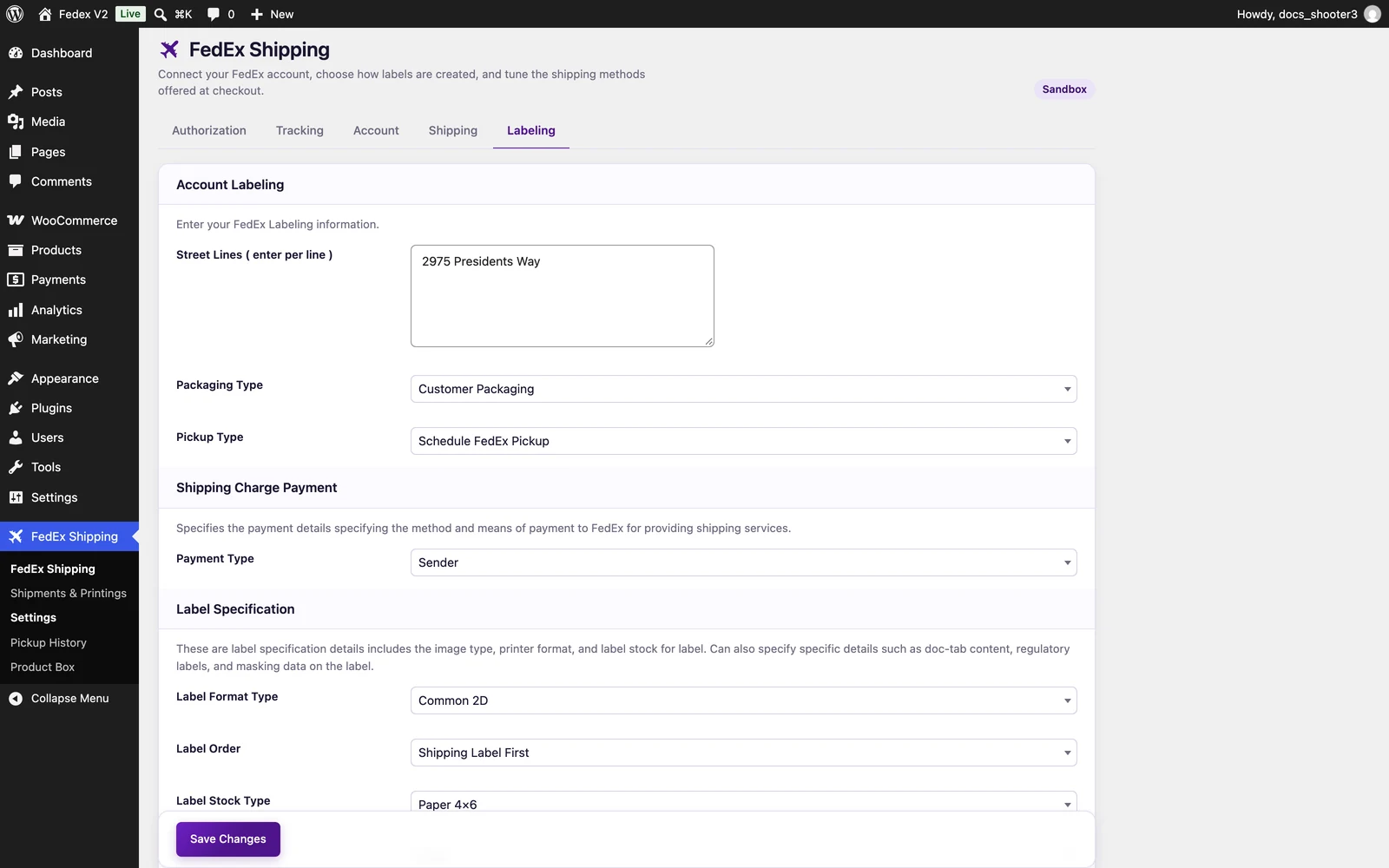
 The FedEx Shipping settings page, Labeling tab.
Account Labeling
Packaging Type
Packaging changes quoted prices, so pick the one you actually ship with:Pickup Type
Options: Schedule FedEx Pickup, Drop Off at FedEx, Use Scheduled Pickup.FedEx Shipping has two settings named “Pickup Type”, and they do different jobs. The one on this tab is written onto the labels the plugin creates. The one on the Shipping tab affects price quotes only.
Shipping Charge Payment
In Instant mode this sets the payer on labels created at checkout. In Advanced mode the payer is chosen per order on the order screen before you confirm the shipment.
Return labels always ignore this setting. A return label is always billed to your store’s account, no matter which Payment Type you choose, and it is always addressed to your store: the street lines from this tab plus the store details from the Account tab.
Label Specification
Practical guidance
- Thermal printers: choose ZPLII or EPL2 with PAPER_4X6. Office printers: PDF with PAPER_4X6 (or PAPER_LETTER).
- LABEL_DATA_ONLY is meant for integrations that render labels themselves; keep COMMON2D unless you have such a pipeline.
- These settings apply to Instant-mode labels. Open Ship (Advanced) labels are configured per draft session on the order screen; street lines and payment type are still inherited from this page.
Where do I find my labels?
It depends on your Shipping mode (Shipping tab):- Instant mode: every label is listed under FedEx Shipping → Shipments & Printings. Use the View Label button on a row — multi-package shipments get one button per box. About 5 minutes after checkout, the customer also receives a “Your Shipment Has Been Created” email containing the tracking number and a link to the label.
- Advanced mode: labels appear on the order screen (the FedEx Open Ship box when you edit the order) and under FedEx Shipping → Open Shipments. You confirm the shipment first; the labels are created when you confirm.
Related
Shipments & Printings
Where Instant-mode labels live and how to print them.
Open Shipments
Where Advanced-mode drafts are confirmed and labels are created.
Account tab
The store name, phone, and address details that complete your labels.