

What the customer sees
- Each available FedEx service appears as its own shipping option, named by FedEx itself, at the price FedEx returned for that shipment. The plugin adds no fee and no markup.
- Both checkout styles are supported: the classic WooCommerce checkout and the newer block-based checkout.
- Prices only — checkout does not show delivery-date estimates in this version.
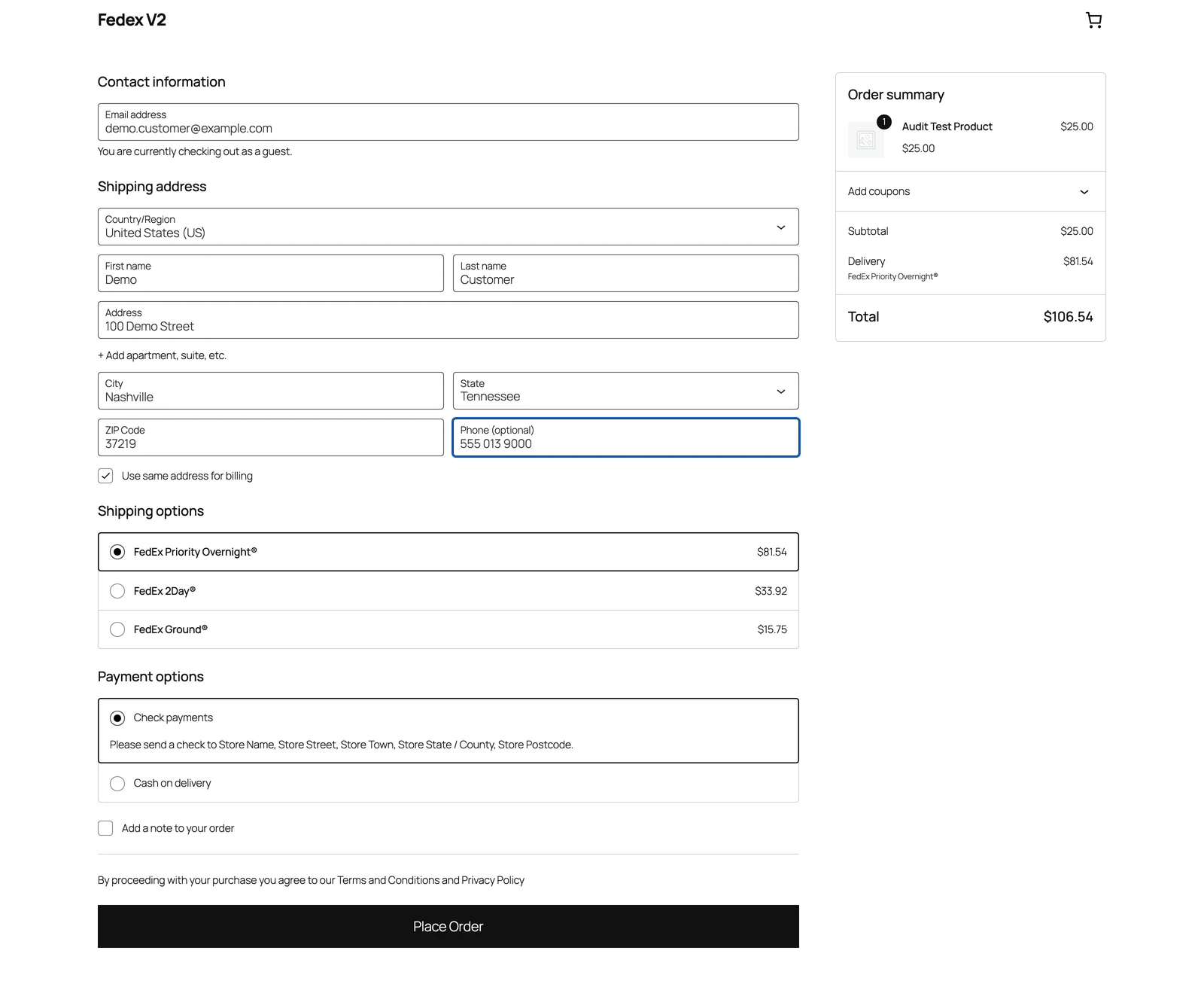 Checkout showing one shipping option per FedEx service, each with FedEx’s own service name and price.
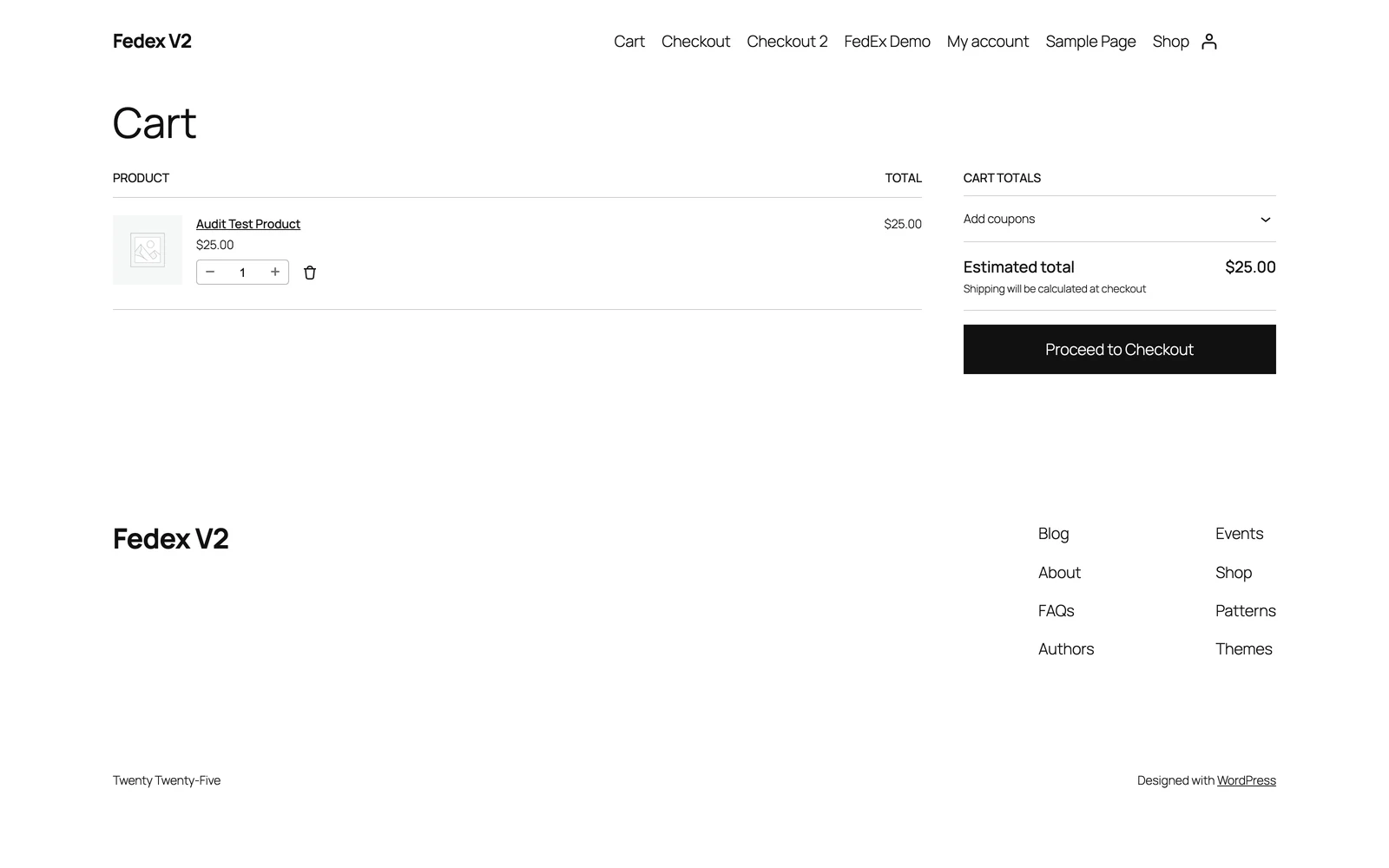 The cart page shows the same FedEx shipping options once a destination address is known.
What happens when a customer enters an address
- WooCommerce finds the shipping zones that match the address and asks each method in those zones for prices.
- The plugin sends FedEx one price request. In plain words, it tells FedEx: where the parcel starts (your store’s postal code and country from the Account tab), where it is going (the customer’s postal code and country), how heavy and how big the cart is, your FedEx account number, and your choices for packaging, pickup, and price type from the Shipping settings. Street addresses, cities, and phone numbers are not sent for pricing.
- For pricing, the whole cart travels as one combined package. The plugin adds up the total weight, takes the longest length and the widest width found among the products, and stacks the heights. A product with no weight or size yet falls back to a small default so the quote can still be built. Pricing the cart as one package keeps the quote to a single quick request, which keeps checkout fast.
- FedEx replies with a list of services and prices. Each service becomes a shipping option at checkout, priced exactly as FedEx answered — see Getting your negotiated prices for which price wins when FedEx returns several for the same service.
- Services you did not select in the Shipping Methods list are hidden — unless that would hide every service FedEx returned, in which case all returned rates are shown.
The single combined package is only for pricing. If you set up boxes in Product Box, the real per-box breakdown is used when the shipping label is created after checkout — so the boxes on the label can differ from the one-package quote.
Why prices don’t change instantly
Every successful quote is remembered for 10 minutes, separately for each destination and cart combination. There is a good reason for this. WooCommerce recalculates shipping several times while a customer checks out — when the page loads, when a rate is chosen, and when the order is placed. If every recalculation asked FedEx again, small shifts in live prices could make WooCommerce reject the order with an error like “The order total changed … while you were checking out”. Remembering one quote for 10 minutes keeps every price inside a single checkout identical. What this means in practice:- The same destination and cart see the same prices for 10 minutes.
- After 10 minutes — or for a new destination or cart — the plugin asks FedEx live again.
- Saving any page of the plugin’s Settings forces one fresh quote per remembered combination. Changed a setting and want to see the effect? Save the settings, then reload the cart or checkout.
If FedEx has a temporary problem, the plugin retries the request once. If it still fails, FedEx options simply do not appear — other shipping methods in the zone still do. The plugin never shows made-up prices and never serves a price from a failed request: a price at checkout is always a live FedEx quote or a successful quote from the last 10 minutes.
Getting your negotiated prices
The Rate Request Type setting on the Shipping settings page tells FedEx which kinds of prices to quote. If it is left empty, the plugin asks for LIST — FedEx’s published retail prices — even when your FedEx account has negotiated rates. Merchants with negotiated rates must select their rate types here.
If FedEx returns more than one price for the same service, the plugin shows the one from the highest-priority type, in this order: INCENTIVE, then ACCOUNT, then PREFERRED, then LIST.
Not sure whether you have negotiated rates? Check your FedEx account agreement or ask your FedEx representative. If you do, select your rate types on the Shipping settings page — otherwise checkout shows retail prices.
Your plan and rates
Your plan sets a daily limit on how much your store can use FedEx:
Until the limit is reached, nothing changes. Once it is reached:
- The plugin stops asking FedEx for prices, so FedEx rates stop appearing at checkout — including prices remembered from earlier the same day.
- The checkout message changes to “Checkout limit has been exceeded for today. Please try tomorrow.”
- The other shipping methods in the zone still appear, so customers can still order with a different method.
- The quota panel on the plugin’s Settings page shows your plan and today’s usage. It is read-only — there is no reset button. The count starts fresh the next day.
Common questions
Why do prices differ from fedex.com?
Why do prices differ from fedex.com?
Both prices come from FedEx, but they are built from different information. Checkout quotes use your store’s postal code, the customer’s postal code and country, and the cart’s combined weight and size — no street address, city, or house-number details. FedEx’s own website calculator uses the full address and may treat the same items as a different package. The price type matters too: retail (LIST) prices are higher than the negotiated prices many accounts have. The plugin itself never adds anything to the price FedEx returned. If the problem is that prices are missing entirely rather than just different, start at Troubleshooting.
Why didn't the price change after I changed a setting?
Why didn't the price change after I changed a setting?
Prices are remembered for 10 minutes per destination and cart combination. Your change takes effect once that memory expires — or sooner: saving any Settings page forces one fresh quote per remembered combination, so save the settings and then reload the cart or checkout.
Why do some services not show?
Why do some services not show?
Two things can hide services. Your Shipping Methods selection on the Shipping settings page hides services you did not pick. And if you turned on Guarantee “every rate is really available”, FedEx is asked which services genuinely run to that destination, and the rest are dropped. If your filters would hide every service FedEx returned, the plugin shows all the returned rates instead — so a narrow list can still produce a wide checkout.
Why doesn't checkout show delivery dates?
Why doesn't checkout show delivery dates?
The plugin shows prices only in this version. FedEx’s reply does include estimated delivery information, but no part of checkout displays it yet.
What’s next
Shipping settings
Service list, Rate Request Type, pickup type, and the availability guarantee.
Product Box
Pack items into real boxes for the label created after checkout.
Instant labels at checkout
What happens after the order is placed in Instant mode.